Matter and Thread Border Router Buying Guide: Map the Job Before You Buy
Choose the controller first, confirm whether the accessory uses Wi-Fi or Thread, and buy another box only when the exact model fills a missing role.
The short answer
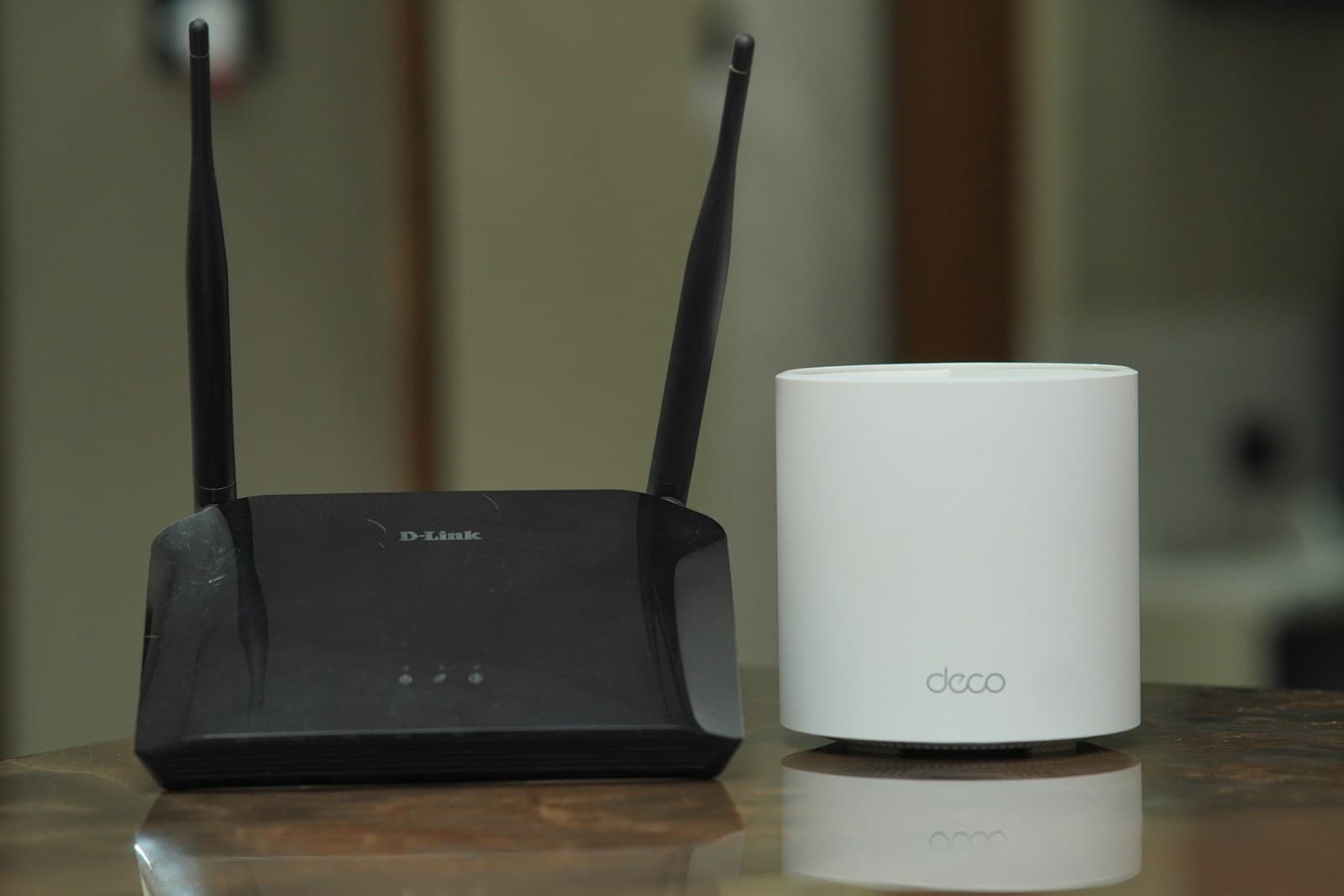
A Thread border router is a network device that routes IPv6 traffic between a Thread mesh and the home's Wi-Fi or Ethernet network. It does not control a Matter accessory by itself. For Matter over Thread, you need both a Thread border router and a Matter controller, although one HomePod, Nest hub, Echo, SmartThings hub, or Home Assistant setup may perform both jobs. Matter over Wi-Fi or Ethernet does not need a Thread border router. Buy by exact model, generation, controller platform, and supported device category, not by the word hub.
A Thread border router connects a low-power Thread mesh to the home's ordinary IP network. A Matter controller commissions devices, stores its platform's relationship with them, and issues commands. A Matter bridge exposes selected devices from another system, such as Zigbee, to a Matter controller. Those are three different jobs. One product can do two or all three, but the logos on the box do not prove that it does.
The direct buying answer is simple. If the accessory says Matter over Wi-Fi or Matter over Ethernet, choose a supported Matter controller and skip the Thread purchase. If it says Matter over Thread, choose a controller for the app your household will actually use and confirm that the same device, or another documented device on the same home network, supplies Thread border routing. If the accessory is Zigbee, Z-Wave, or proprietary, look for its required coordinator or a product-specific Matter bridge instead.
My view: the best first border router is usually one already built into a controller you wanted for another reason. Buying a random standalone router because it says Thread can leave you with network transport but no supported controller, no useful setup path, or a second Thread network that does not solve the first one's coverage problem.
Cost and effort
Plan the practical side
| What the accessory says | Required network piece | Required control piece | Do not buy by mistake |
|---|---|---|---|
| Matter over Wi-Fi | Existing compatible Wi-Fi and local IPv6 | Matter controller that supports the device category | Thread border router |
| Matter over Ethernet | Ethernet on the same usable IP network | Matter controller that supports the device category | Thread radio for the accessory |
| Matter over Thread | Thread border router with a working path to the LAN | Matter controller, sometimes in the same box | A Thread-only router with no usable commissioning path |
| Thread with HomeKit, no Matter mark | Thread border router | HomeKit controller or the protocol named by the maker | Assuming every Thread device supports Matter |
| Zigbee, Z-Wave, or proprietary | The original coordinator or vendor hub | Original platform, or an explicit Matter bridge for selected devices | A border router, which does not translate those protocols |
| Existing devices exposed through a Matter bridge | The original radio network and bridge stay in service | Matter controller for the receiving platform | Replacing working endpoints because the bridge is not native Thread |
| Primary platform | Documented controller and Thread choices | Model-level caveat | Best fit |
|---|---|---|---|
| Apple Home | HomePod mini, HomePod (2nd generation), Apple TV 4K (2nd generation), or Apple TV 4K (3rd generation) Wi-Fi + Ethernet can provide Thread-enabled home-hub service | Apple also permits local Thread pairing and control on iPhone 15 Pro or later with iOS 18, but recommends a home hub for the best experience, automations, notifications, and remote control | Households centered on Apple Home that also want a speaker or streamer |
| Google Home | Google Home Speaker (2026), Nest Hub (2nd gen), Nest Hub Max, Nest Wifi Pro, and Google TV Streamer (4K) are listed for Matter over Wi-Fi and Thread | Nest Mini, Nest Audio, first-generation Nest Hub, and several older Google devices can be Matter hubs over Wi-Fi without being Thread border routers | Google Home households that can reuse a display, speaker, router, or streamer |
| Amazon Alexa | Amazon lists Echo (4th Gen), Echo Hub, selected Echo Show and Studio generations, and many eero models as Thread border routers and Matter controllers | Many older Echo products support Matter but are absent from Amazon's Thread-router list. Echo generation and eero model must match the current list | Alexa or eero households that already own an explicitly listed model |
| Samsung SmartThings | SmartThings Station is documented as a Thread border router; SmartThings 2018 Hub and Aeotec Smart Home Hub are documented Matter-controller paths | SmartThings says its 2015 Hub controls Matter over Wi-Fi/LAN but needs a third-party border router for Thread. Availability and functions vary by model and region | SmartThings households, including mixed Zigbee, Z-Wave, and Matter setups |
| Home Assistant | Home Assistant Yellow or Connect ZBT-1/ZBT-2 with the OpenThread Border Router app can supply Thread; Home Assistant's Matter Server supplies the controller | Yellow and the Connect radios run Zigbee out of the box. Thread setup has manual steps, the integration is described as work in progress, and Home Assistant OS is the supported Matter-app path | Owners willing to maintain the host, radio firmware, Thread credentials, IPv6, mDNS, and backups |
| Mixed platforms | Commission with one primary controller, then share the Matter device to another platform with multi-admin when the device and both platforms expose the needed function | Each platform has its own Matter fabric. Shared basic control does not guarantee identical scenes, energy data, camera functions, firmware controls, or household permissions | Homes that need two apps or voice assistants and can test one device before scaling |
| Planning band | October 24, 2026 examples | What the number leaves out | Buying rule |
|---|---|---|---|
| $0 | A compatible HomePod, Apple TV, Nest hub, Google TV Streamer, Echo, eero, SmartThings hub, or configured Home Assistant radio already in the home | Time to verify model, install updates, recover accounts, and test network placement | Inventory first |
| About $49 hardware-only | Home Assistant Connect ZBT-2 recommended U.S. MSRP | Home Assistant host, supported installation, USB placement, OpenThread setup, power, storage, backups, and owner time | Count the whole system, not the radio alone |
| About $99 to $199.99 for a multi-use consumer device | Current official examples include Apple's $99 HomePod mini listing, Google's $149.99 Google TV Streamer and $199.99 Nest Wifi Pro, and Amazon's $179.99 Echo Hub listing | Tax, sales, discontinued stock, subscriptions unrelated to basic Matter, and any router replacement or extra mesh nodes | Buy the secondary function only if you also want it |
| Above $200 | Advanced multi-protocol hubs, premium speakers, displays, routers, or self-hosted equipment can exceed the mainstream band | Extra radios do not prove one Thread network, better placement, longer support, or wider platform feature support | Require a written reason for every added box |
| Question | What official material confirms | What you still need to verify |
|---|---|---|
| Can basic control stay local? | Google, Amazon, and Home Assistant describe local Matter control; Matter traffic between a Home Assistant controller and a device through a third-party border router is encrypted | Whether the vendor app, remote access, voice assistant, history, video, energy data, or bridge feature still requires an account or cloud |
| Who holds credentials? | Apple says paired Matter accessories sync through iCloud Keychain and pairing keys are end-to-end encrypted. Home Assistant stores Thread credentials and can synchronize them to a phone | Recovery owner, invited household members, lost-phone procedure, and how to remove a departing controller or service |
| Who updates what? | Google says its hub devices receive automatic updates. Home Assistant documents manual setup and a specific OTA limitation when an Apple border router is the only Thread path | Accessory firmware source, controller updates, border-router updates, support term, security notice channel, and what happens after support ends |
| Does Matter settle data collection? | CSA security material covers device authentication, encrypted communications, attestation, and protocol-level protections | Vendor-account data, recordings, diagnostics, voice history, advertising use, retention, deletion, and cross-border processing sit in each product's policy and settings |
| Will another platform expose every feature? | Matter multi-admin lets a device join multiple fabrics, while official platform pages publish their supported categories | Optional clusters and vendor-only functions. Test the exact lock, camera, appliance, bridge, or sensor function before buying multiples |
Inventory the controller and border routers you already own
Write down every smart speaker, display, streaming box, Wi-Fi router, SmartThings hub, Home Assistant radio, and vendor bridge by exact model number and generation. Check each against the current platform support page. Do not infer Thread from Matter support. Google lists several speakers and displays as Matter hubs over Wi-Fi but only a smaller set for Thread. Amazon does the same across Echo generations. Apple distinguishes the third-generation Apple TV 4K Wi-Fi + Ethernet model from the Wi-Fi-only configuration. An accurate inventory can turn a planned purchase into a $0 setup change.
- Record four roles
- For each box, mark Matter controller, Thread border router, Matter bridge, and original-radio coordinator separately. A blank is useful evidence. The word hub is not a role.
- Check the home network
- Matter uses local IPv6 and mDNS. Google warns that setup can appear to succeed and later fail when IPv6 is unavailable. Home Assistant warns that VLANs, multicast filtering, and limited container-host kernels can break discovery or routing.
Choose the household's primary Matter controller
Pick Apple Home, Google Home, Alexa, SmartThings, Home Assistant, or another documented platform based on the interface people will use every day. Then verify that platform currently supports the accessory's device category and the functions you need. Apple, for example, publishes a current list that includes lights, locks, outlets, switches, thermostats, shades, bridges, selected sensors, and air conditioners. Amazon describes support as a subset of Matter 1.5 and earlier device types. CSA released Matter 1.6 on June 17, 2026 with NFC commissioning, Joint Fabric, thermostat suggestions, and core refinements rather than new device categories. CSA also says implementation timing will vary by company and product. A new specification does not force every platform to expose a feature immediately.
- Multi-admin comes second
- Commission one test device into the primary platform, confirm stable control, then use that platform's sharing flow to add another controller. CSA explains that each administrator maintains its own Matter fabric.
- Expect feature differences
- A bridge or second controller may expose on, off, level, and status while leaving scenes, adaptive lighting, camera history, energy reporting, firmware tools, or advanced sensor values in the vendor app.
Read the accessory transport before adding Thread
Find Matter over Wi-Fi, Matter over Ethernet, or Matter over Thread on the maker's current product page, manual, packaging, and certification information. A Matter logo alone does not identify the transport. A Thread logo alone does not prove Matter either. Home Assistant notes that some Thread products use HomeKit or another application protocol. If the listing names Bluetooth, determine whether it is used only for commissioning. If it names Zigbee, Z-Wave, or a proprietary radio, keep the required coordinator or documented bridge in the plan.
- Thread requires two roles
- A Matter-over-Thread endpoint needs a Thread border router to reach the LAN and a Matter controller to operate it. Those roles may live in one device or separate devices.
- Wi-Fi does not become Thread
- A Matter-over-Wi-Fi plug still needs a compatible controller, but adding a Thread border router does not move that plug to Thread or reduce its Wi-Fi dependency.
Match the border router to the primary setup path
For the least surprising first installation, choose a documented border router that your primary platform can set up and support, preferably one that also acts as that platform's Matter controller. This is not a universal interoperability rule. It is a support-boundary rule. Home Assistant can use several third-party border routers as network infrastructure, but says it can configure and control only OpenThread border routers with the supported REST interface. SmartThings documents a third-party-border-router path for its 2015 Hub, including same-LAN and Thread-network-key requirements. Those details matter after the return window closes.
- One network, not merely two boxes
- Multiple border routers can improve resilience only when they participate in the same Thread network. Different credentials can create separate meshes even when the network names look similar.
- Do not buy redundancy first
- Start with one known-good path and one representative endpoint. Add a second border router after you can show a reboot risk or radio gap and confirm it can join the preferred Thread network.
Put the router where its two radio paths can work
A border router needs a reliable Ethernet or Wi-Fi path to the local network and a usable 2.4 GHz Thread path to the mesh. A device hidden in a metal rack may have excellent Ethernet and poor Thread coverage. A speaker beside the endpoint may have strong Thread and weak Wi-Fi. Keep it powered, ventilated, and available during controller or router updates. Thread's mesh can route through compatible mains-powered Thread devices, but a battery sensor is generally an endpoint, not a relay you should count on for coverage.
- Test the difficult location
- Pair one inexpensive representative device where the future lock, sensor, or shade will actually live. Test commands, state changes, automations, a border-router restart, and normal household network load before buying a batch.
- Coverage is not a square-foot promise
- Walls, floors, metal, appliances, neighboring 2.4 GHz networks, border-router placement, and powered Thread routers all change the path. No responsible model count comes from floor area alone.
Price the support and privacy bargain, not only the box
The October 24, 2026 official-price examples in this guide run from a $49 Home Assistant radio to roughly $100 to $200 for mainstream multi-use consumer hardware. The cheap option is not always the lower-cost system. A Home Assistant radio also needs a supported host, owner time, backups, OpenThread configuration, and ongoing updates. A speaker or streamer may be simpler but adds an account, microphone, media service, or cloud feature you may not want. Read the current privacy policy and support material for the whole product rather than only the Matter logo.
- Matter protects the protocol path
- CSA documents authentication, attestation, encrypted communications, and other protocol protections. It also states that data above the Matter protocol layer can raise privacy issues outside Matter's scope. Vendor recordings, diagnostics, account history, and cloud retention still need review.
- Ask for an update term
- Check automatic-update behavior, security-notice channels, accessory firmware delivery, and any published support end date. If the maker does not publish a term, record that as unknown rather than treating certification as lifetime support.
Commission one device and preserve the recovery record
Update the phone, controller, border router, and accessory first. Confirm Bluetooth is on and the phone is near the endpoint during setup. Save the QR code and numeric setup code privately before pairing. Commission through the chosen primary app, name the room, test local control, and record which Thread network and Matter fabric now own the relationship. If another platform is needed, generate a fresh sharing code through the primary platform rather than trying to reuse the original setup code casually.
- Test outages without factory resets
- Use the smart-home outage drill to separate internet loss, LAN loss, controller loss, and power loss. A failed remote feature does not prove local Matter failed, and a dead LAN does not prove the vendor cloud is the root cause.
- Keep a removal plan
- Know how to remove the accessory from each connected service, erase stored credentials, transfer household ownership, and factory-reset only when normal removal or support steps require it.
Troubleshoot only to the boundary you can prove
When pairing fails, stop changing several layers at once. Confirm the exact model still appears on the official support list, the controller is online, the border router is on the same usable LAN, local IPv6 and mDNS are available, the phone has current software and Bluetooth permission, the endpoint is in pairing mode, and the Thread signal is plausible. Restart one documented component at a time. Preserve app errors, logs, network names, and timestamps before removing a fabric or resetting an endpoint.
- Home Assistant boundary
- Home Assistant documents that container kernels, multicast filtering, stale phone state, Thread credential sync, preferred-network selection, and OTA routing can each cause different failures. Use its supported OS path if you want official Matter-app support.
- Escalate with a complete chain
- Give support the endpoint model and firmware, controller model and software, border-router model, phone OS, primary platform, Thread network, LAN layout, error text, and the last known working state. Do not factory-reset a houseful of devices to compensate for one unidentified layer.
Put the guide to work
Field notes
- Photograph before setup
- Save the Matter QR code and numeric setup code with the device model, serial number, receipt, controller, Thread network, room, owner account, and reset instructions. Home Assistant warns that recommissioning may be impossible without one of those codes.
- Check the exact generation
- Names are deceptive. Apple lists the third-generation Apple TV 4K Wi-Fi + Ethernet model as Thread-enabled, not the Wi-Fi-only configuration. Amazon's broad Matter-controller list is much longer than its narrower Thread-border-router list.
- Keep one primary setup path
- Choose the platform that will commission the first device and keep its owner account recoverable. Add another platform later through Matter multi-admin. Sharing a device with a second controller is different from adding another border router.
- Record the support bargain
- Write down automatic-update settings, the vendor's support page, privacy choices, cloud requirements, and what remains local during an outage. Matter certification does not state how many years a manufacturer will update a retail product.
Common questions
Frequently asked questions
- What is a Thread border router?
- A Thread border router routes IPv6 packets between a low-power Thread mesh and a home's Ethernet or Wi-Fi network. It supplies network connectivity. It does not, by that role alone, commission or control a Matter device. A Matter controller performs the control role, although one physical product may contain both.
- Do all Matter devices need a Thread border router?
- No. Matter can run over Wi-Fi, Ethernet, or Thread. A Matter-over-Wi-Fi or Matter-over-Ethernet accessory needs a compatible Matter controller but not a Thread border router. A Matter-over-Thread accessory needs both roles. Read the exact transport on the current product page, manual, packaging, or certification record.
- Can one device be both a Matter controller and a Thread border router?
- Yes. Current official examples include selected Apple HomePods and Apple TVs, Google Nest hubs and Google TV Streamer, selected Echo and eero models, SmartThings Station, and configured Home Assistant hardware. Model and generation matter. A product can support Matter over Wi-Fi without containing a Thread radio.
- Which Thread border router should I buy for Apple, Google, Alexa, SmartThings, or Home Assistant?
- Start with the primary control platform and inventory compatible hardware you already own. Choose an exact model that the platform currently documents for Thread, preferably one that also performs a useful second job. For Home Assistant, include the supported host, OpenThread app, radio firmware, IPv6, mDNS, backups, and owner time in the decision.
- How many Thread border routers does a home need?
- One working border router can provide the required path. A second on the same Thread network can add another route during an outage or improve coverage, but two unrelated products may create separate networks. Begin with one verified path, test the difficult endpoint location, and add hardware only for a measured gap or a confirmed redundancy need.
- Will a Thread border router make Zigbee or Z-Wave devices work with Matter?
- No. A border router forwards IP traffic and does not translate Zigbee, Z-Wave, or a proprietary protocol. Those devices still need their original coordinator or vendor hub. They can appear in a Matter platform only when a product explicitly provides Matter bridging for those models and functions.
- Does Matter multi-admin mean every platform gets every feature?
- No. Multi-admin can add one Matter device to multiple platform fabrics, but each controller supports its own device categories and optional functions. Basic controls may transfer while scenes, energy details, camera history, adaptive lighting, firmware tools, or vendor-specific settings remain elsewhere. Test one device before buying multiples.
- What should I check when a Matter-over-Thread device will not pair?
- Check one layer at a time: current model support, controller status, border-router status, same-LAN reachability, local IPv6, mDNS or multicast handling, phone software and Bluetooth, pairing mode, Thread credentials, preferred network, and radio placement. Save the error and setup record before removing fabrics or factory-resetting. Platform support should handle failures beyond the documented owner controls.
Use the findings
Open the detailed check for what you found
Make the next step useful
Put this guide on your home plan
Know when to call a professional. Stop if work involves active gas leaks, damaged service wiring, structural movement, unsafe heights, suspected contamination, or a problem you cannot confidently isolate.
Editorial review and sources
Reviewed by: Smart Homeowners Editorial Desk
Last reviewed: October 24, 2026
Original Smart Homeowners editorial; not adapted from a third-party article.
Source notes and limitations
- Official compatibility and caveats were checked October 24, 2026 against Apple Support, Google Home Help, Amazon Alexa developer documentation, Samsung and SmartThings support, Home Assistant documentation, and Connectivity Standards Alliance material.
- The price table is a dated U.S. planning snapshot. It uses official manufacturer or project pages observed on October 24, 2026: Home Assistant Connect ZBT-2 at a $49 recommended MSRP, Apple HomePod mini at $99, Google TV Streamer at $149.99, Nest Wifi Pro at $199.99, and Amazon Echo Hub at $179.99. Taxes, sales, bundles, availability, hosts, and unrelated subscriptions are excluded.
- Visible FAQ answers and FAQPage JSON-LD are generated from this single faqs array. Compatibility examples are not universal claims; the exact model, generation, region, firmware, device category, network, and platform documentation control.
- Apple Support: Thread border router required alert and compatible Apple devices
- Apple Support: Pair and manage Matter accessories
- Google Home Help: Prepare your smart home for Matter
- Amazon Alexa: Connect your device to Alexa with Matter
- Amazon Alexa: Understand smart-home Thread support
- SmartThings Support: SmartThings and Matter integration
- Samsung Developer: SmartThings Station as a Thread border router
- Home Assistant: Thread integration and border-router setup
- Home Assistant: Matter integration, commissioning, multi-fabric, and troubleshooting
- Connectivity Standards Alliance: Matter roles in the smart home
- Connectivity Standards Alliance: Matter 1.6 release and adoption caveat
- Connectivity Standards Alliance: Matter security and privacy white paper
- Home Assistant Connect ZBT-2 product and price
- Google Store: Google TV Streamer
- Google Store: Nest Wifi Pro
- Amazon: Echo Hub