Why Does My Smart or Interconnected Smoke Alarm Keep Going Off?
Treat every full alarm as real until people are safe, then identify the initiating unit and investigate the event without disabling the home's protection.
The short answer
A smart or interconnected smoke alarm keeps going off because one initiating unit is detecting smoke-like particles or reporting a fault, and the rest are relaying its warning. Get everyone outside whenever the sound might be a smoke or carbon-monoxide alarm. Only after the home is declared safe should you use the exact model's light, voice message, app history, or alarm-memory feature to find the initiating unit and check cooking smoke, steam, dust, insects, temperature limits, power trouble, damage, or end of life. Never solve repeat alarms by covering, disconnecting, or removing protection.
The first decision is not whether the alarm is annoying. It is whether the sound could mean fire or carbon monoxide. If a full alarm starts when nobody is intentionally testing the system, or if you cannot positively identify the signal, leave by the household escape route, stay outside, and call 911 or the fire department from a safe location. Carbon monoxide cannot be seen or smelled. Do not walk through the home looking for proof before evacuating.
A full alarm and a short periodic chirp are different events. NFPA describes a common smoke pattern as three beeps and a pause and a common carbon-monoxide pattern as four beeps and a pause, but products also use voice prompts, colors, app messages, and model-specific fault or end-of-life signals. The label and manual for the exact alarm control. When the pattern is unclear, treat it as an alarm, not a battery reminder.
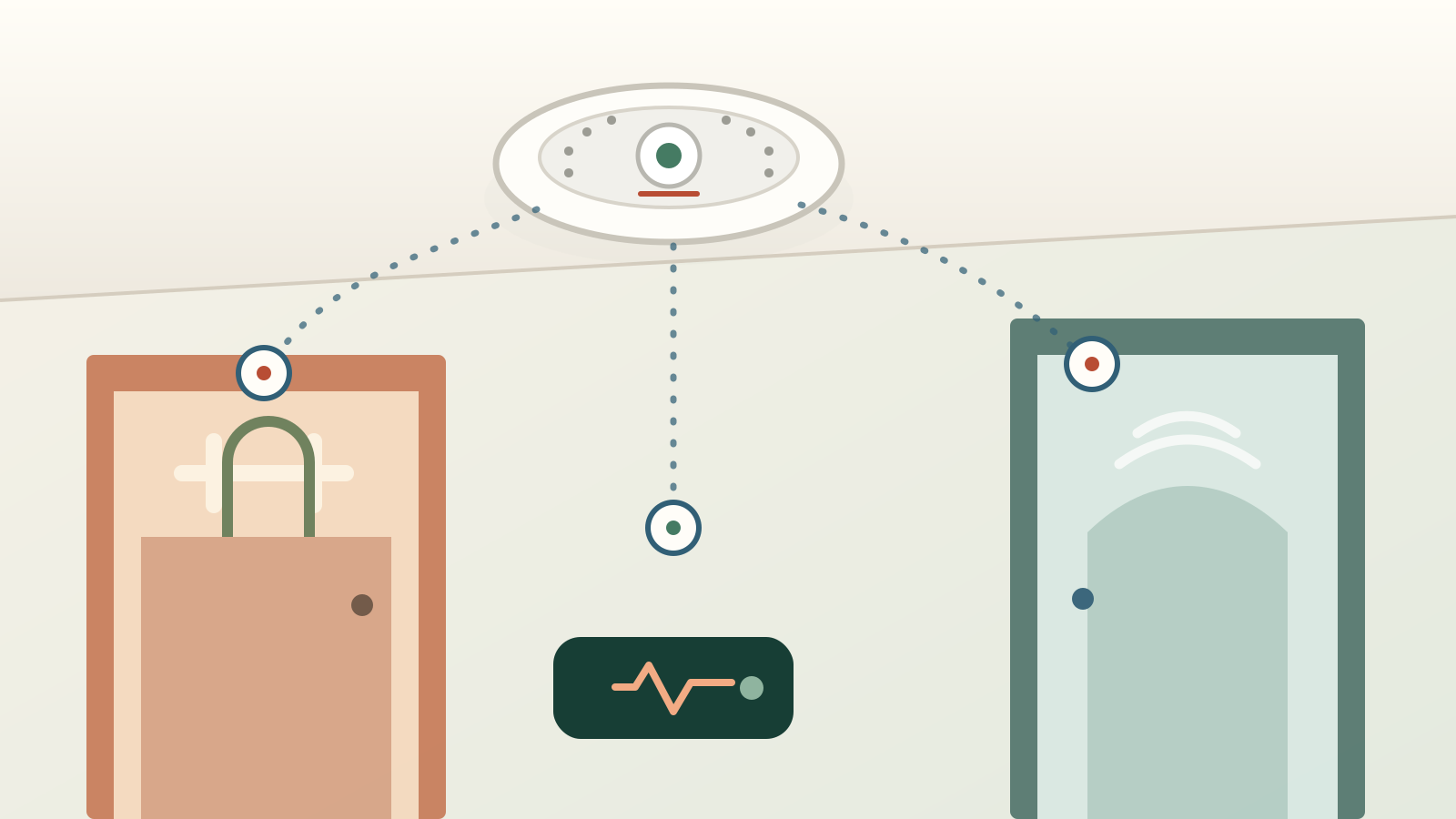
Interconnection explains why every alarm can sound when only one unit sensed a condition. It does not prove the whole system failed. The useful evidence is the initiating unit: the alarm whose LED, spoken room name, app event, panel zone, or latched memory says it detected the event. Find that unit only after the emergency branch is closed. Then investigate the room, timing, and model instructions instead of pulling batteries from every ceiling.
Cost and effort
Plan the practical side
| What you observe | What it may mean | What to do now | What not to assume |
|---|---|---|---|
| A loud repeating alarm, voice warning, red emergency state, monitoring call, or a pattern you cannot identify | Possible smoke, fire, carbon monoxide, or another emergency state | Get everyone outside, stay outside, and call 911 or the fire department from a safe location. Follow the alarm and monitoring instructions. | No visible smoke does not establish safety, and an app label can be delayed or incomplete. |
| A smoke pattern identified by the exact model, often described by NFPA as three beeps and a pause | The initiating unit detected smoke or particles that met its alarm threshold | Evacuate first. After responders or the responsible authority confirm safety, preserve the initiating-unit evidence and inspect the event conditions. | Cooking is not a safe default explanation, especially at night or away from the kitchen. |
| A CO pattern identified by the exact model, often described by NFPA as four beeps and a pause, or a spoken CO warning | The unit detected carbon monoxide | Move everyone to fresh air outside and call 911. Leave the alarm in place for responders and do not re-enter until they say it is safe. | CO has no color or odor. An apparently normal furnace or an empty app history does not clear the home. |
| One short chirp or another periodic service sound with no emergency voice or app state | Low battery, end of life, sensor fault, lost power, dirty sensor, or another model-specific status | Read the model label and manual, identify the exact unit, and correct or replace it promptly. If the signal cannot be identified, leave and call for help. | A chirp is not universally a low-battery code, and a new battery does not fix every fault. |
| All interconnected units sound but only one shows an initiating light, room announcement, zone, or memory state | One unit initiated and the others relayed the event | Use that unit's manual and event history after safety is established. More than one unit can initiate if the condition reaches several rooms. | The loudest or nearest alarm is not necessarily the initiator. |
| The alarm starts during an intentional monthly test | The test signal is being relayed through compatible units | Complete the test exactly as the manufacturer directs and confirm every expected local and connected result. | A successful button test does not diagnose a prior unexplained alarm or prove the sensor chamber is clean. |
| Check | Evidence to collect | Safe next step |
|---|---|---|
| Cooking or combustion particles | Event time compared with stovetop, oven, toaster, fireplace, candle, or other source; range-hood use; which room initiated | Clear the known source and use only the approved hush feature. Have placement and ventilation reviewed if the pattern repeats. |
| Steam or high humidity | Shower, humidifier, kettle, or laundry timing; bathroom door position; condensation; initiating room | Move or change placement only under the exact instructions and local requirements. Do not apply a generic distance to every layout. |
| Dust, remodeling debris, or insects | Recent sanding, drilling, drywall work, cleaning, HVAC dust, visible debris, webbing, insect activity, or a model-specific dirty-sensor message | Clean only by the manual's approved method. Keep sprays, water, solvents, brushes, and improvised tools out of the sensing chamber unless expressly allowed. |
| Temperature or airflow | Room temperature, garage or attic conditions, nearby supply or return air, fan, open window, and the model's listed operating range | Compare the actual location with the listed range and placement instructions. Ask the fire marshal or qualified installer about a compliant correction. |
| Power, compatibility, or wiring | Power-loss notice, recent outage or electrical work, AC indicator, models in the interconnected group, monitoring panel event | Use a licensed electrician or alarm professional for hardwired power, interconnect, loose-connection, compatibility, or panel questions. |
| Age, damage, fault, or recall | Manufacture date, replace-by date, sensor-failure message, cracked or painted housing, corrosion, water exposure, model and serial number, CPSC recall search | Replace at the manufacturer or USFA interval, immediately for a failed unit, or under recall instructions. Keep coverage in service during the change. |
| Source and date | Published planning figures | How to use the number |
|---|---|---|
| U.S. Fire Administration page checked October 29, 2026 | Ionization or photoelectric alarms: $6 and up; dual-sensor: $24 and up; microprocessor models: $30 and up; radio-frequency/wireless alarms: $40 and up | Device-only starting figures from a federal safety page. They are not smart-alarm retail quotes, labor prices, or a substitute for local code and compatible-system selection. |
| Angi 2026 cost guide, checked October 29, 2026 | Typical installation: $70–$150 per unit, $120 national average; its type table lists smart devices at $50–$150 and smart installation at $100–$250+ | National planning data. Ask whether a quote covers a direct replacement, new wiring, compatible interconnection, permits, setup, testing, finish repair, and disposal. |
| HomeGuide cost guide checked October 29, 2026 | Device plus installation: $110–$410+ per unit; labor alone: $100–$260+; smart alarm device: $50–$150, with $150–$410+ installed | A separate vendor-published national range, not blended with Angi. Existing wiring, service minimums, access, number of units, code work, and security-system integration can change the local total. |
Use the emergency branch before troubleshooting
When a smart or interconnected alarm starts unexpectedly, move people outside first if the sound could be smoke, fire, or carbon monoxide. Use the practiced exit, meet at the agreed location, account for everyone, and call 911 or the fire department from outside. Do not stop to inspect bedrooms, the attic, the garage, a furnace, or an app. Do not re-enter because the noise stopped. A real condition can clear at the sensor, move through the house, or recur, and a connected app may not have received the event if power, Wi-Fi, an account, or a cloud service failed.
- Uncertainty means leave
- If nobody can identify the sound with confidence, use the emergency response. This is especially important for a combination smoke/CO alarm, a voice message that was not heard clearly, an alarm at night, or an event followed by headache, dizziness, weakness, nausea, vomiting, sleepiness, or confusion.
- Do not ventilate first
- Opening doors and windows before leaving can change fire behavior or reduce the CO concentration before responders measure it. Follow emergency instructions. Your job is evacuation, not proving what the alarm found.
- Do not rely on silence
- A hush button, stopped horn, cleared phone notification, or reset panel does not declare the building safe. Wait for emergency responders or the responsible authority to give the all-clear.
Identify the sound with the label and exact manual
After the home is safe, identify each device by manufacturer, full model number, manufacture date, power source, and whether it detects smoke only, CO only, smoke and CO, heat, or another condition. Find the manual from the manufacturer, not a general beep chart. Match the recorded horn cadence, chirp interval, voice words, light pattern, and app or panel message. NFPA's three-beep smoke and four-beep CO examples are useful recognition clues, but the same short chirp can mean low battery on one product, end of life on another, or a sensor fault on a smart model.
- Check another device
- A ceiling chirp can come from a CO alarm, leak sensor, security device, appliance, UPS, or an alarm in an adjacent room. Stand quietly and locate the exact source rather than replacing every smoke-alarm battery.
- Read every word
- Look for separate sections covering emergency alarms, low battery, end of life, malfunction, lost AC power, network loss, hush, alarm memory, and test. Save the manual with the household alarm inventory.
- A chirp still needs action
- Service sounds should be corrected promptly. Replace the specified removable battery when that is the code; replace a sealed unit or expired or failed alarm when the instructions require it. Do not leave a fault chirping for days.
Find the initiating alarm without guessing
In an interconnected system, the initiating alarm is the unit that first detected the condition; the others repeat its signal so everyone can hear. Look up how this model marks the initiator during an alarm and how it stores the event afterward. NFPA says this is often an LED indicator and notes that some systems let a button on a non-initiating alarm silence the relaying units so the initiating one remains audible. Kidde documents a rapidly flashing red light on certain initiating units and an alarm-memory feature on some models. First Alert manuals use model-specific flashing or latched indicators. These examples are not interchangeable instructions.
- Use the app as evidence
- For a smart alarm, save the room, hazard, time, device status, and event history. Google says Nest Protect History can show smoke or CO events, low battery, power loss, and sensor trouble, but the history may update later and can be missing when connectivity fails. A blank timeline is not proof that no alarm occurred.
- Check the monitoring record
- If the alarm reports to a security panel or monitoring center, ask for the exact device or zone, event type, time, dispatch status, and trouble history. Keep the incident number. Do not let a monitoring cancellation replace a fire-department evaluation when the event may be real.
- Several initiators are possible
- Smoke, steam, or another condition can reach more than one sensor. Photograph every unit showing an initiating or memory state and preserve the sequence rather than forcing the event into a one-device explanation.
Investigate the room and timing, not a favorite theory
Start at the initiating room and compare the event time with ordinary sources of airborne particles or moisture. Cooking aerosols and burnt food, shower steam, humidifiers, dust, construction debris, insects, fireplaces, and some cleaning or remodeling activity can affect smoke alarms. Temperature outside the alarm's listed range and air movement near a window, door, duct, or fan can also matter. None of those observations proves an alarm was false. A hidden electrical fire, smoldering material, venting problem, or intermittent CO source can leave little visible evidence by the time you look.
- Cooking pattern
- Record which burner or appliance was used, what burned, whether the range hood exhausted outdoors, and which alarm initiated. NFPA says smoke alarms should generally be at least 10 feet from a cooking appliance to reduce nuisance alarms, but do not move one by tape measure alone. The exact instructions, listed use, local code, room geometry, and required coverage still control.
- Steam and humidity pattern
- Record the shower, humidifier, kettle, laundry, or weather event and visible condensation. NFPA troubleshooting discusses steam and a 36-inch bathroom-door reference, while particular manufacturers may specify other location limits. Do not turn either number into a universal relocation rule.
- Dust or insects
- Look around the exterior openings and mounting area for dust, webbing, insects, sanding residue, or paint. Do not open the sensing chamber, probe it, or spray pesticide or cleaner into the alarm. First Alert specifically warns not to spray the alarm itself.
- Temperature and power
- Compare the actual room temperature with the model's listed range and save power-loss or brownout history. Repeated events near a garage, attic, HVAC outlet, or after electrical work deserve a placement or electrical review, not an improvised reset.
Clean, hush, and test only by the manufacturer's procedure
A nuisance-alarm response should preserve protection. When a known cooking or steam condition has been verified as non-emergency, use the model's approved hush or silence feature and clear the source as directed. Once the system is safe and out of alarm, follow the exact cleaning instructions. NFPA says to use the maker's specified vacuum or compressed-air method and frequency. Google gives separate cleaning instructions for Nest Protect. Kidde and First Alert documents differ by model. That is why “vacuum every alarm” is not a universal repair instruction.
- No household cleaners
- Do not use water, solvent, aerosol cleaner, fragrance, paint, adhesive, or pesticide on or in the alarm unless the exact manual expressly permits it. Do not use a hair dryer or high-pressure shop air. Contamination or physical damage can require replacement.
- Keep hardwired work closed
- Do not disconnect connectors, open junction boxes, handle interconnect conductors, or cycle a breaker as a trial-and-error fix. A qualified electrician or alarm professional should investigate loose power, incompatible units, damaged wiring, repeated power events, or unexplained hardwired-network alarms.
- Test the whole path
- After approved cleaning, battery work, replacement, or professional service, use the manufacturer's test procedure. Confirm the local horn or voice, expected interconnected alarms, accessibility devices, app notification, household sharing, monitoring receipt, and return to normal status. Warn occupants and the monitoring company before a planned test.
- My view
- Repeated unexplained full alarms are a replacement or service problem, not a reason to become skilled at hushing. After one careful evidence-and-cleaning cycle, stop repeating the same reset and get the manufacturer, fire-prevention office, electrician, or alarm professional involved.
Replace expired, failed, damaged, contaminated, or recalled alarms
USFA says smoke alarms need replacement 10 years from the manufacture date. A model may require earlier replacement after a sensor failure, end-of-life signal, contamination, water exposure, damage, failed test, or recall. Combination units can have instructions tied to their specific sensors, so use the printed date and manual rather than assuming every alarm gets ten years. Search the CPSC recall database using the exact model and date code. If one hardwired unit must change, verify compatibility with the entire interconnected group before buying a look-alike replacement.
- Maintain coverage during the change
- Do not leave a sleeping area or level unprotected while waiting for a smart replacement, electrician, warranty shipment, or monitoring appointment. Ask the local fire-prevention office or manufacturer for a compliant temporary plan; do not improvise placement.
- Use qualified installation
- USFA says only qualified electricians should install hardwired smoke alarms. Use an alarm professional for a listed security or monitored system and follow local permit, inspection, placement, and compatibility requirements.
- Record the handoff
- Save the old and new models, manufacture and install dates, compatibility list, circuit or wireless group, room names, account owner, app sharing, monitoring zone, warranty, recall check, and successful test. Photograph the final label before it is hard to reach.
Escalate repeat events to the right person
Call 911 for any current smoke, fire, CO alarm, symptoms, or uncertain full alarm. For a past event after the building has been cleared, many municipal fire departments or fire marshals will inspect alarms or explain local requirements; NFPA recommends calling the non-emergency or fire-prevention number. The manufacturer can decode model-specific lights, chirps, memory, contamination, warranty, and compatibility. A licensed electrician handles hardwired power and interconnect faults. A qualified alarm company handles listed panels, zones, wireless enrollment, monitoring, and dispatch history.
- What to bring
- Give them the model and date code, alarm inventory, exact sound and light record, initiating-unit evidence, app or panel history, event timeline, cleaning and battery history, recent electrical or remodeling work, and every attempted correction. Facts shorten the visit.
- Ask for a closed-loop result
- Request the finding, work performed, compatibility basis, local requirement used, final test results, any remaining limitation, and the next replacement date in writing. “Reset system” is not enough after repeated unexplained full alarms.
- Budget by scope
- Separate device cost, direct replacement labor, new wiring, compatible-system conversion, monitoring or subscription work, permit or inspection, access, finish repair, and final testing. Put the written local scope in the Maintenance Reserve Planner rather than treating a national per-unit figure as a quote.
Put the guide to work
Field notes
- Write the sound, do not name it
- Record the count and rhythm of beeps or chirps, pause length, voice message, LED color and cadence, app wording, room name, and time. “Three loud beeps, pause, repeating” is more useful than “the detector was acting up.” The exact manual must interpret the record.
- Preserve the initiating unit
- During or after a safe event, photograph the unit's light and save the app or monitoring history before resetting anything. Some models latch an alarm-memory signal; clearing it too early can erase the best clue.
- Build a trigger timeline
- Note cooking, toast, showering, humidifier use, cleaning, sanding, drilling, pest activity, fireplace use, HVAC startup, power interruption, unusual heat or cold, and the last alarm cleaning or replacement. Timing is evidence, not proof.
- Keep the protection intact
- Use only the alarm's approved hush function for a known, non-emergency condition. Never tape over openings, bag the alarm, remove a battery, turn off the alarm circuit, detach a monitored sensor, or leave a removed unit on a counter as the fix.
- Check monitoring before maintenance
- A professionally monitored alarm may dispatch responders or create a supervisory signal. Follow the provider's test-mode and service procedure before any scheduled test or cleaning, but never delay evacuation or an emergency call to manage an app or account.
Common questions
Frequently asked questions
- Why do all my interconnected smoke alarms go off when only one detects something?
- That is the purpose of interconnection: one initiating alarm sends the warning to the other compatible alarms so occupants throughout the home can hear it. Evacuate for an unexpected full alarm. After the home is declared safe, use the exact model's LED, voice location, app event, panel zone, or alarm-memory instructions to identify the initiating unit. The loudest alarm is not necessarily the source, and more than one unit may initiate.
- How can I tell which interconnected smoke alarm started the alarm?
- Check the exact manual. Depending on the model, the initiator may flash a specific LED during the event, retain a latched memory afterward, announce a room, appear in an app, or identify a monitoring zone. NFPA also notes that some systems can silence non-initiating units so the initiator remains audible. Do not try that until everyone is safe and the model instructions allow it.
- Is a smoke alarm chirp the same as a smoke or carbon-monoxide alarm?
- Usually not, but there is no safe universal chirp code. A short periodic chirp can mean low battery, end of life, sensor trouble, lost power, dirt, or another model-specific status. Emergency alarms are commonly louder repeating patterns or voice warnings. Read the device label and exact manual. If you cannot positively identify the signal, evacuate and call for help.
- Can cooking or shower steam set off a smart smoke alarm?
- Yes. Cooking particles, burnt food, shower steam, and humidifiers can trigger some smoke alarms, and the initiating unit can make the whole interconnected group sound. That timing is a clue, not proof that the event was harmless. Use the approved hush feature only after confirming a known non-emergency source, then have repeated placement or ventilation problems reviewed under the exact manual and local rules.
- Can dust or insects cause a smoke alarm to go off at night?
- Dust, remodeling debris, webbing, and small insects can interfere with a smoke-sensing chamber. Preserve the initiating-unit evidence, inspect only the exterior and surrounding area, and clean solely by the manufacturer's method. Do not open the chamber or spray cleaner, pesticide, or canned test material into it. Replace or service the alarm if the warning returns.
- Why does my smoke alarm keep going off after I changed the battery?
- The signal may not be a low-battery warning. End of life, sensor failure, dirt, a sealed-battery fault, AC power trouble, an incompatible interconnected device, or a real smoke or CO event can continue after a battery change. Confirm the exact sound code, manufacture date, approved battery, power indicator, initiating unit, and manual. Replace or service the unit when directed.
- Should I disconnect a smoke alarm that keeps giving false alarms?
- No. Never cover it, remove its battery, unplug it, switch off its circuit, or leave it detached as the solution. USFA warns that disabling or removing the battery can be deadly. Use the approved hush function for a verified non-emergency condition, keep required coverage operating, and arrange model-specific cleaning, replacement, relocation, electrical work, or professional service.
- When should I call the fire department about a smoke alarm that keeps going off?
- Call 911 from outside for a current unexpected full alarm, any CO warning, visible or suspected smoke or fire, possible exposure symptoms, or any sound you cannot identify. After a safely cleared event, call the local fire department's non-emergency or fire-prevention line for placement, inspection, or local-rule help. NFPA notes that many departments or fire marshals will inspect alarms.
- How much does it cost to replace or install a smart smoke alarm in 2026?
- Angi's 2026 guide lists $70–$150 typical installation per unit and its type table lists a $50–$150 smart device with $100–$250+ installation. HomeGuide, checked October 29, 2026, lists smart devices at $50–$150 and $150–$410+ installed. These separate national planning ranges are not local quotes. Existing wiring, compatible interconnection, monitoring, permits, access, and finish repair change the scope.
Use the findings
Open the detailed check for what you found
Make the next step useful
Put this guide on your home plan
Know when to call a professional. Stop if work involves active gas leaks, damaged service wiring, structural movement, unsafe heights, suspected contamination, or a problem you cannot confidently isolate.
Editorial review and sources
Reviewed by: Smart Homeowners Editorial Desk
Last reviewed: October 29, 2026
Original Smart Homeowners editorial; not adapted from a third-party article.
Source notes and limitations
- Search-demand classification: rankings/search-demand. On October 29, 2026, the configured result set for 'smart smoke detector false alarms troubleshooting' placed Vivint's commercial 'The 7 Most Common Reasons for Smoke Detector False Alarms' first and NFPA's 'Smoke Alarm Troubleshooting' second. Competitor clicks are UNKNOWN.
- Information gain: the ranking pages list nuisance causes, but this guide makes the safety branch explicit, separates alarm from chirp without treating beep patterns as universal, and gives an evidence workflow for finding the initiating interconnected unit through model instructions, app or panel history, and latched memory before cleaning, testing, replacement, or service.
- NFPA's February 11, 2022 troubleshooting article supports immediate exit for alarms, common temporal-three smoke and temporal-four CO patterns, model-specific initiating-unit indicators, dust and insect contamination, steam and temperature considerations, model-directed cleaning, end-of-life replacement, and non-emergency fire-department help. The article does not turn those examples into universal product codes.
- USFA's smoke-alarm page supports interconnected alarms, monthly testing, 10-year replacement from manufacture date, qualified electricians for hardwired installation, approved hush rather than battery removal, current device starting prices, and possible free or reduced-price local fire-department programs. It was checked October 29, 2026.
- CPSC Pub. 559 (revised July 2016) supports prompt evacuation, interconnected protection, monthly testing, 10-year smoke-alarm replacement, and avoiding disabling an alarm for nuisance cooking events. CPSC's current CO center supports outside fresh air and 911 for suspected CO poisoning or symptoms.
- Manufacturer examples are intentionally separated. Google Nest support supplies app-history limitations, room/event evidence, dust and steam guidance, and sensor-failure replacement. Kidde and First Alert materials show that initiating LEDs, alarm memory, hush behavior, cleaning, and compatibility vary by model. The exact installed manual controls.
- Cost sources remain separate: USFA device-only starting prices checked October 29, 2026; Angi's 2026 national installation guide; and HomeGuide's vendor-published national range checked October 29, 2026. None is presented as a local quote, code requirement, diagnosis, or proof that smart hardware is necessary.
- The visible nine-question FAQ and FAQPage structured data use the same Article faqs array.
- NFPA — Smoke Alarm Troubleshooting (February 11, 2022)
- NFPA — Installing and Maintaining Smoke Alarms
- U.S. Fire Administration — Smoke Alarms
- U.S. Consumer Product Safety Commission — Smoke Alarms: Why, Where, and Which? (Pub. 559, revised July 2016)
- U.S. Consumer Product Safety Commission — Carbon Monoxide Information Center
- Google Nest Help — Protect History
- Google Nest Help — Prevent False Alarms
- Kidde — What to Do If You Have a Nuisance or False Alarm
- First Alert — Smoke Alarm Frequently Asked Questions
- Angi — Smoke Detector Installation Cost (2026 Data)
- HomeGuide — Smoke Detector Installation Cost